Hokuyo LiDAR UST-10LX
The Hokuyo UST-10LX is a 270-degree single-line laser scanner commonly used for mapping and localization in robotics applications. This document provides details on wiring, configuration, and usage of the Hokuyo LiDAR with the Autonomous Driving Platform.
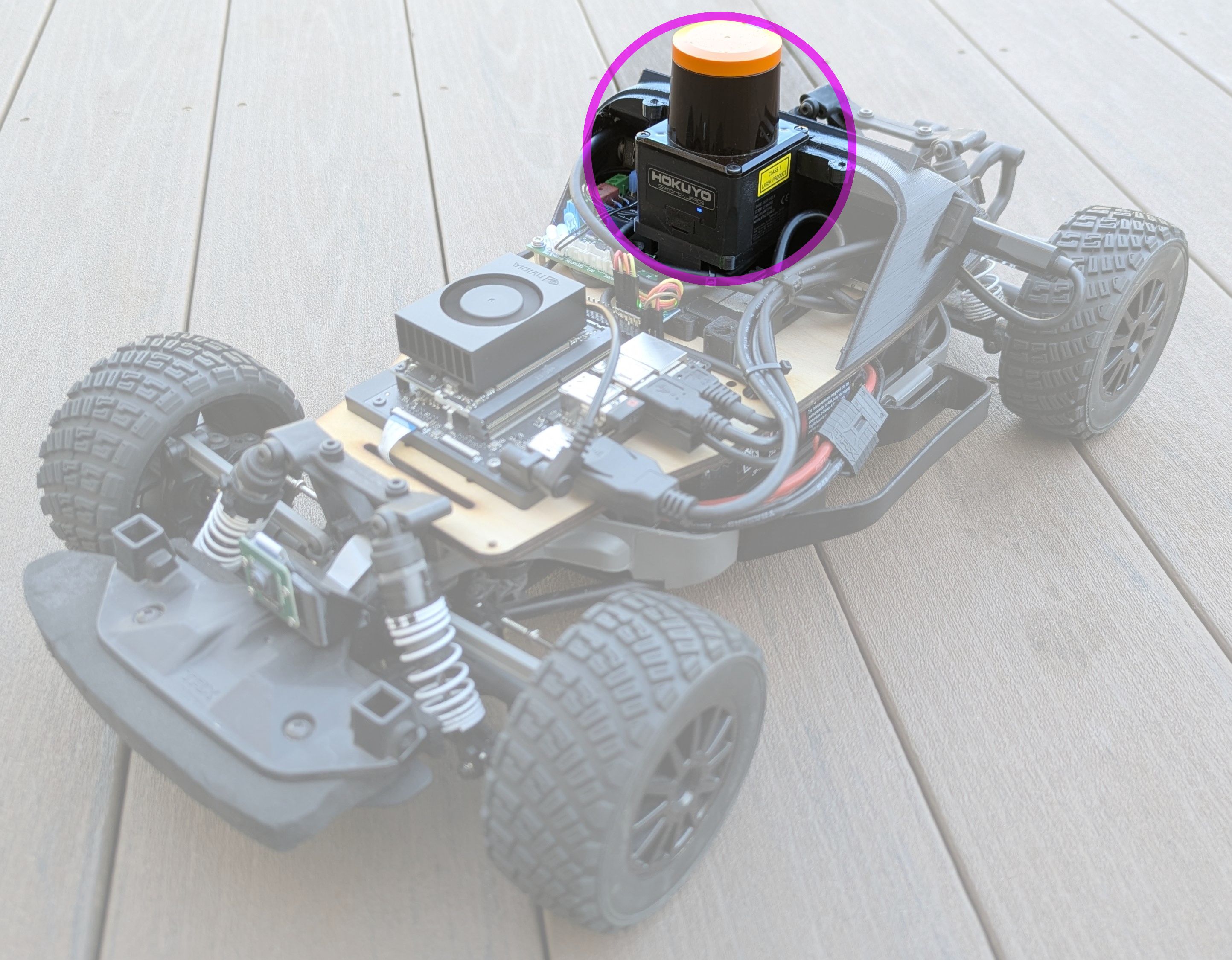
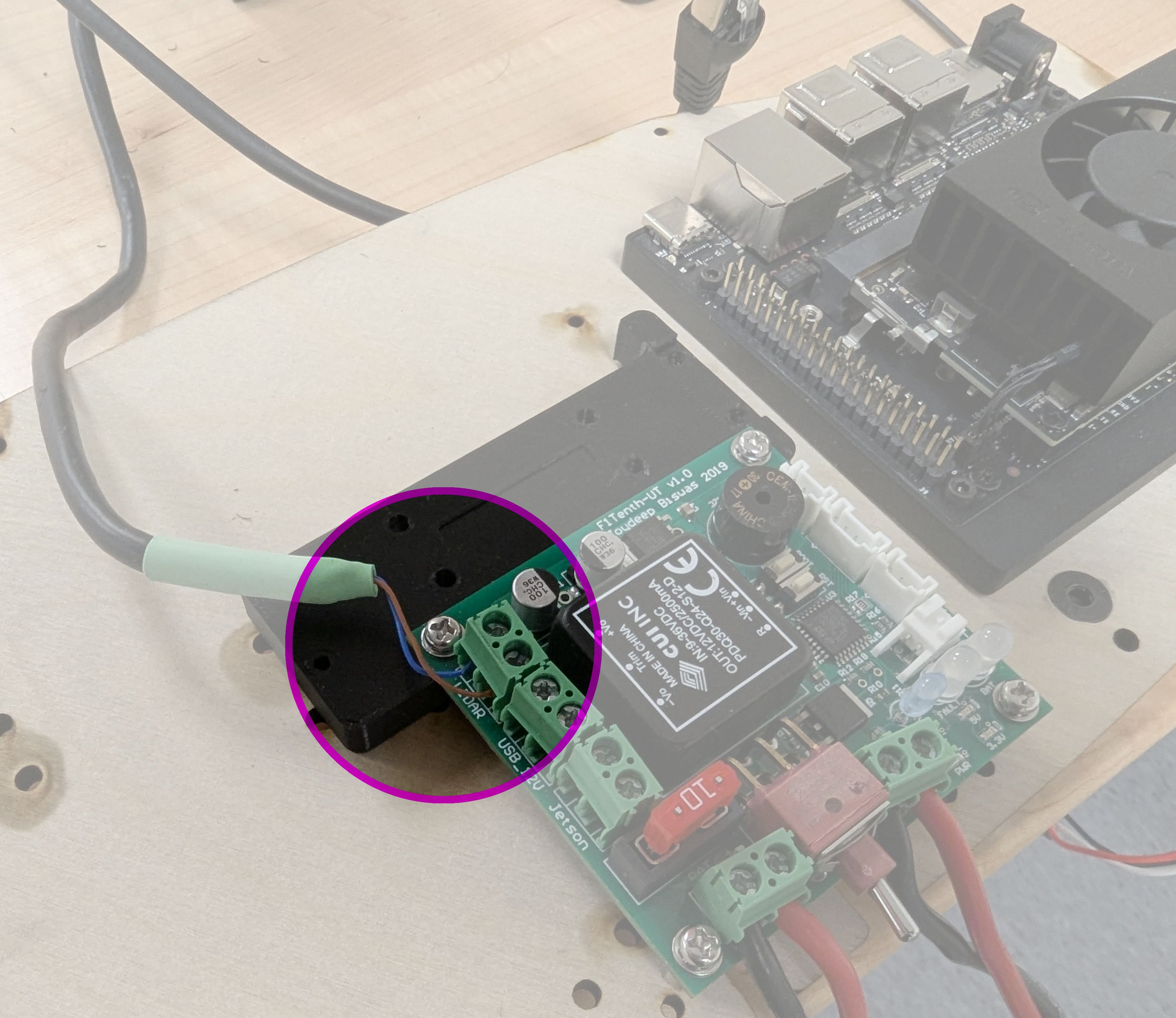
Power to the Hokuyo LiDAR is provided via a 12V DC power supply from the power distribution board connected to the power input port on the back of the device:
Network setup
The Hokuyo connects to the Orin's Ethernet port and always has the address 192.168.0.10. The Orin's Ethernet port needs a fixed address on the same network, or nothing can reach the lidar: there's no /scan topic, and the navigation stack stops at startup.
The setup script does this. It only needs to be done once per car.
By hand:
sudo nmcli connection add type ethernet ifname enP8p1s0 con-name lidar \
  ipv4.method manual ipv4.addresses 192.168.0.1/24 ipv4.never-default yes \
  ipv6.method disabled connection.autoconnect-priority 100
enP8p1s0 is the Ethernet port on the Orin Nano developer kit; check yours with ip -br link. never-default keeps internet traffic on Wi-Fi.
Check that the lidar answers:
ping -c 3 192.168.0.10
Using the Hokuyo
The lidar pane in the teleop and navigation plans picks the driver by itself: with no USB lidar plugged in, it starts urg_node for the Hokuyo at 192.168.0.10, port 10940. It publishes the scan on /scan, in the laser frame. See also RPLIDAR C1, the USB lidar some cars use instead.